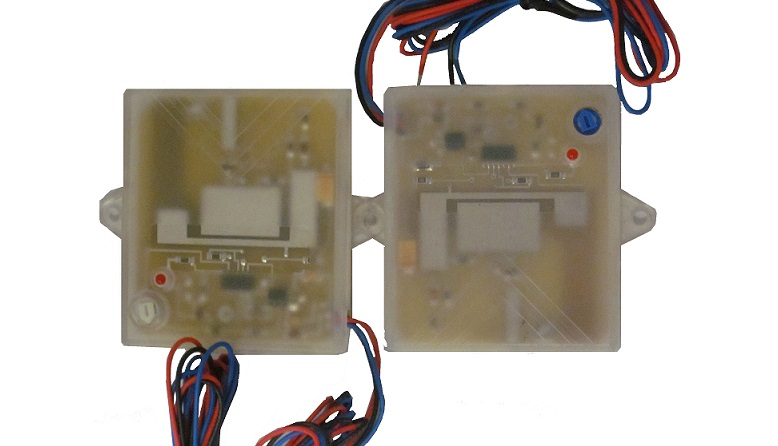
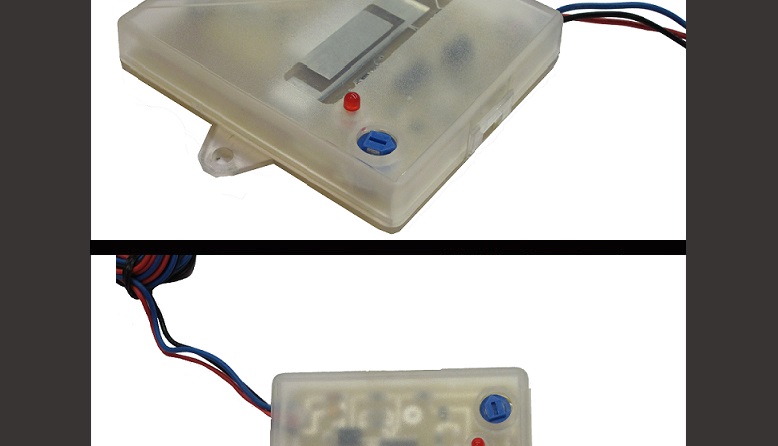
MAS2 Sensor · Radar-based motion detection
Microwave based motion sensor with adjustable sensitivity that can start the playback of one of our message repeaters, or trigger another product you may have!
Overview
Key features
- Small form factor, just 3″ W × 2.7″ H × 0.5″ D
- Minimal power requirement
- Microwave technology
- Does not require line of sight; can be hidden behind plastic, wood, fiberglass, cloth or glass
- Adjustable sensitivity
- Contact closure output
- Resistant to false detections caused by environmental conditions
- Shares the 12 VDC supply of the unit it triggers
Applications
- Museums
- Attractions
- Exhibits
- Displays
Specifications
| System | |
|---|---|
| Technology | Microwave motion detection |
| Sensitivity | Adjustable |
| Use | Starts playback on a Mackenzie message repeater or triggers other equipment |
| Output | Contact closure; 3′ leads: +12 V, ground, contact |
| Indicators | Red LED indicates detection |
| Compatibility | DV-1000MT/MTS, DMR-Px/PxS, MacFi, MacFi-e, MiniMac, and any system with a 12 VDC supply and a contact input |
| Physical | |
| Power | Minimal power requirement |
| Dimensions | 3″ W × 2.7″ H × 0.5″ D |
| Mounting | Plastic package |
| Rating | FCC |
User manual in brief
Sensor controls and wiring
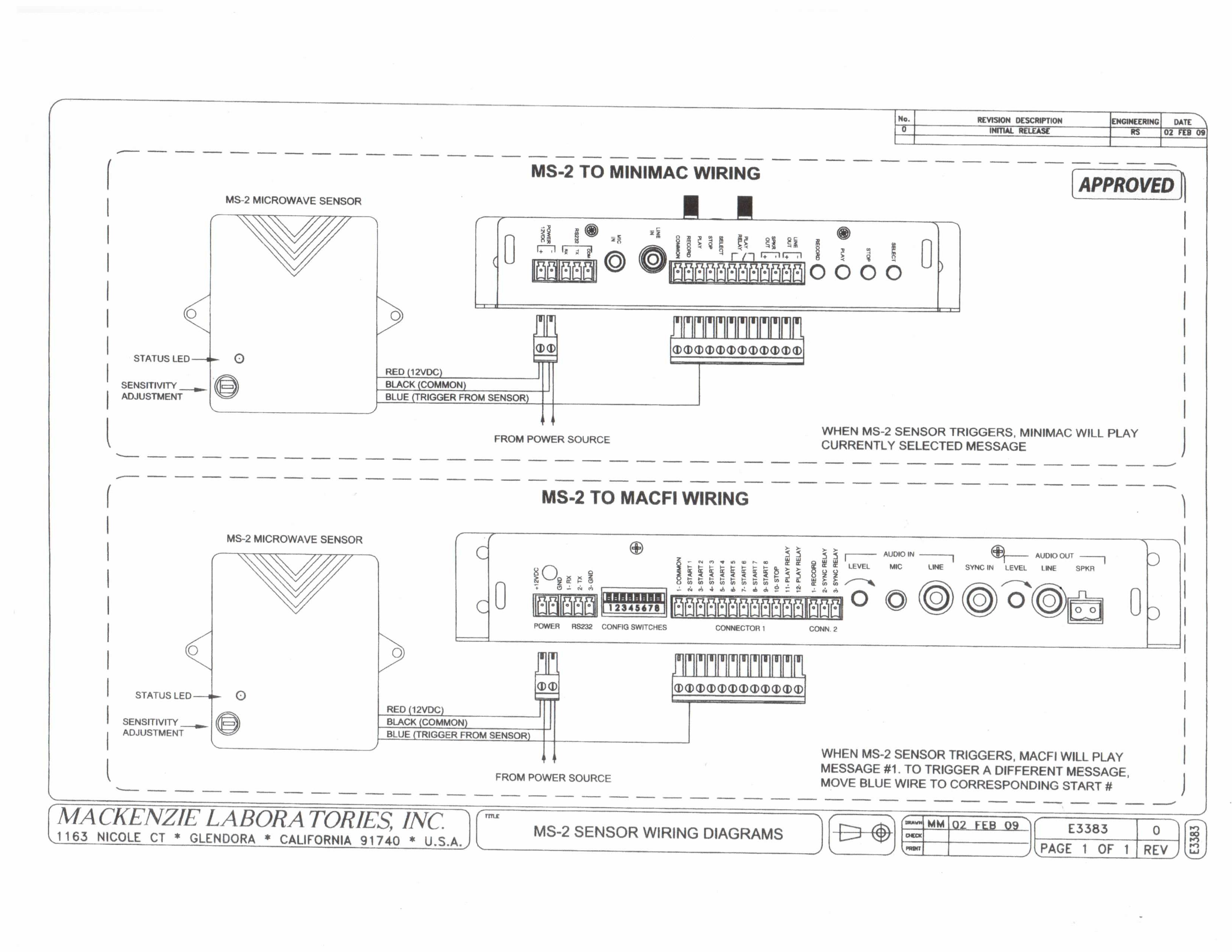
The MS-2 microwave sensor triggers message playback on a Mackenzie message repeater by a contact output. It is powered from the 12 VDC supply of the unit it triggers.
- On the sensor, a status LED and a sensitivity adjustment.
- Red wire: 12 VDC. Black wire: common. Both connect at the unit’s 12 VDC power connector, together with the power source.
- Blue wire: trigger from the sensor, to a start or play input of the unit.
Wiring to a MiniMac
- The blue trigger wire goes to the PLAY terminal of the MiniMac’s control connector.
- When the sensor triggers, the MiniMac plays the currently selected message.
Wiring to a MacFi
- The blue trigger wire goes to position 2, START 1, of the MacFi’s Connector 1.
- When the sensor triggers, the MacFi plays message 1. To trigger a different message, move the blue wire to the corresponding START input.
Documents
| Document | Content | Format |
|---|---|---|
| Spec sheet | Specifications | |
| Quikey: connectivity detail | Connectivity detail | JPG |
| Wiring drawing (earlier) | Earlier connections, superseded by the Quikey: to a MacFi | |
| Wiring drawing (earlier) | Earlier connections, superseded by the Quikey: to a MiniMac |
Images